Reference questions
Reference questions let you teach Spotter how to answer specific questions accurately and consistently by saving a verified question-answer pair.
They are one of the primary ways to correct misunderstandings, reinforce intent, and help Spotter learn how your data should be interpreted for common business questions.
How reference questions help Spotter
Reference questions guide Spotter to help it understand how to interpret and reason about common business questions.
Rather than storing a fixed response, reference questions provide examples of correct intent, logic, and column usage that Spotter can draw from when generating answers in a conversation.
Spotter may adapt or refine the response based on the broader question context, user intent, or other coaching signals.
| Reference questions are not deterministic response. They influence how Spotter reasons, rather than forcing a specific output. |
Create a reference question
You can create reference questions directly from a conversation.
See Add to Coaching in action.
To add a particular question or phrase to Spotter Coach, click + Add to Coaching below the Answer.
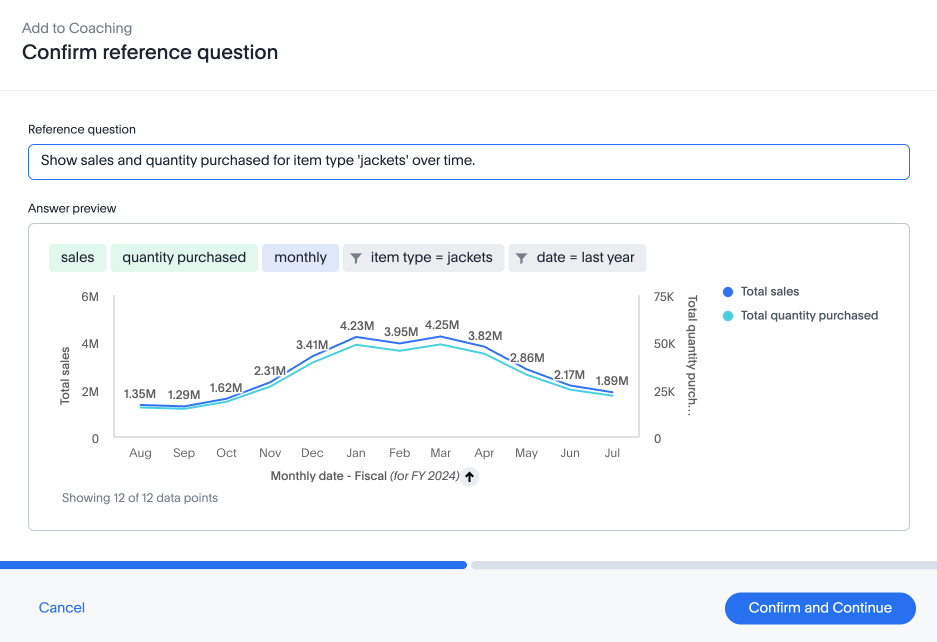
The Confirm reference question modal appears. The default reference question is your most recent question, or a rephrased question which keeps relevant context from your conversation if you are using Spotter Agent. You can edit the reference question in the provided text box or edit the Answer or visualization settings to refine your coaching, and click Confirm and Continue.
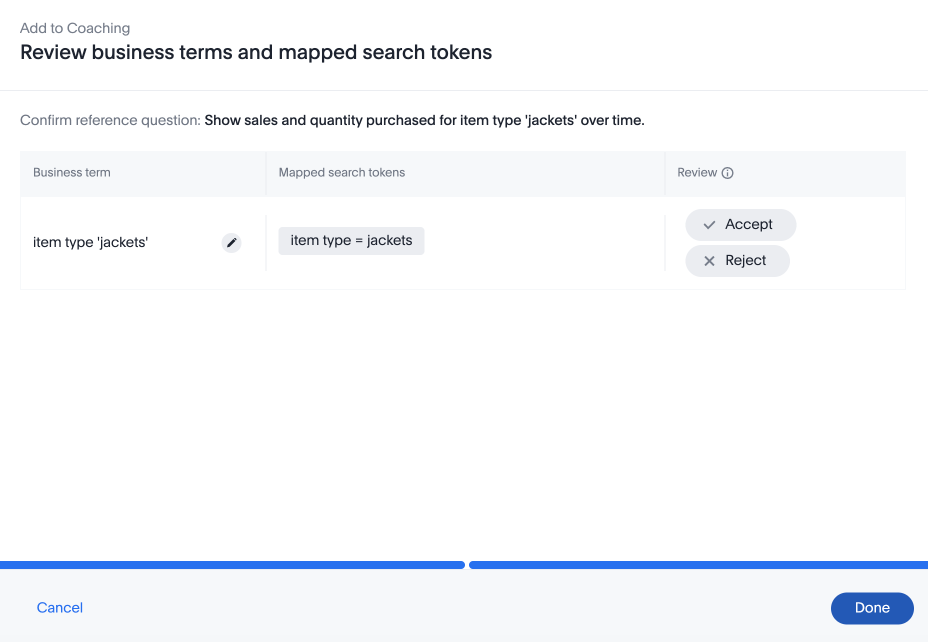
The Review business terms and mapped search tokens modal appears. You can accept or reject the business terms mapped to the provided search tokens, or ignore them if the term is not useful to your coaching. Click Done to finish.
Scope and permissions
Depending on your role and permissions, reference questions may be saved at:
-
User level, applying only to the creator.
-
Model level, applying to all users querying the Model.
For more information, see Coaching levels and permissions.
Limitations
- Visualization and charting are not remembered
-
Reference questions do not preserve charting or visualization choices for future queries. Reference questions should be used to coach data interpretation and logic, not visualization behavior.
- Avoid near-duplicate reference questions
-
Creating many reference questions with minor wording differences can confuse Spotter. Test whether Spotter can generalize before adding more examples. Add context in the reference question for clarity.
- Not a replacement for global rules
-
If a rule should always apply across queries (for example, default filters or column preferences), use Data model instructions instead of reference questions.


