ThoughtSpot Software Documentation
ThoughtSpot Software is our original offering that you deploy and manage yourself. For details on all deployment options, see ThoughtSpot Software Deployment.
Find topics for the common types of ThoughtSpot users.


What’s new in ThoughtSpot Software
November 2026 26.9.0.sw
| Features marked as Beta are off by default. To enable them, contact ThoughtSpot Support. |
Edit an Answer in a Liveboard GA
Editing an Answer in a Liveboard is now generally available (GA). This feature adds an Edit button to the Answer toolbar in a Liveboard in edit mode. Click Edit  to open the Edit Answer page, where you can modify columns, filters, and formulas. You can save or cancel changes without leaving the Liveboard.
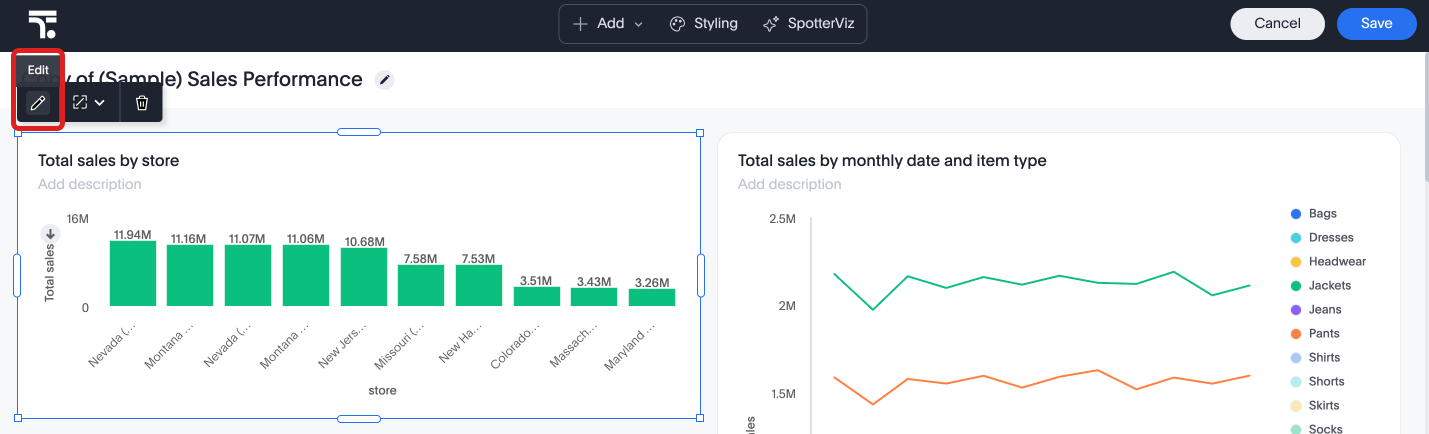
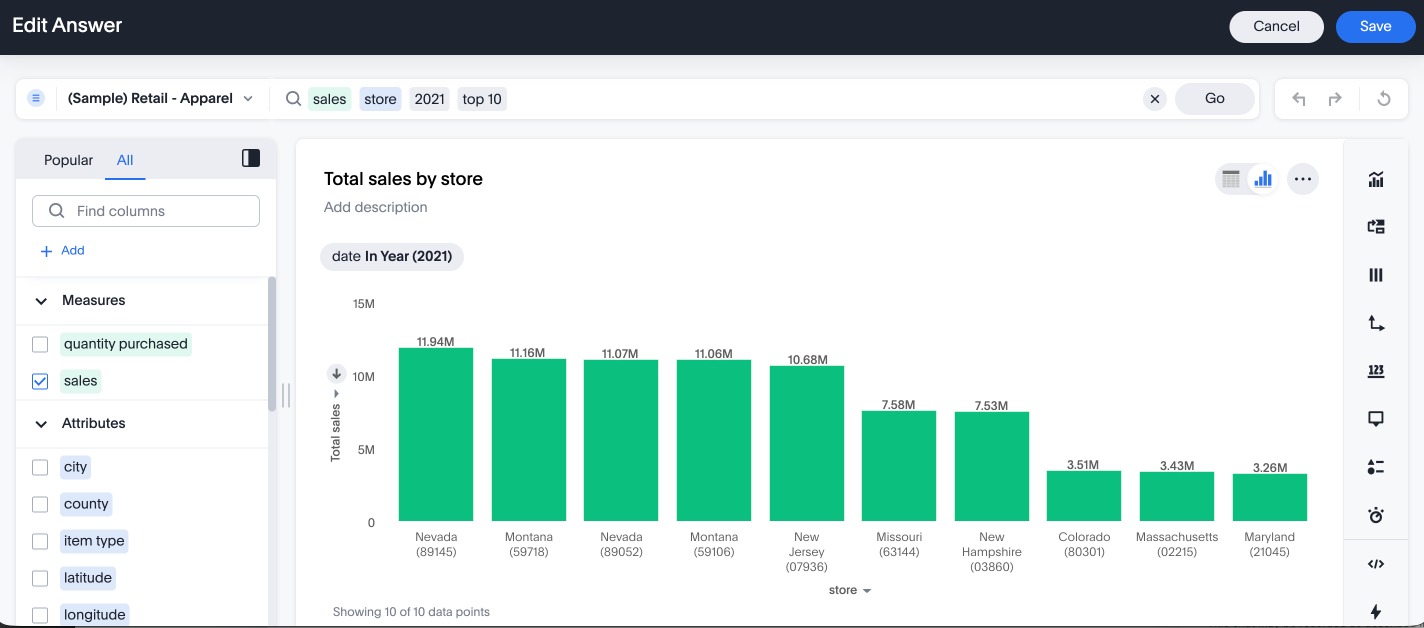
For more information, see Edit an Answer from your Liveboard.
About your cluster GA
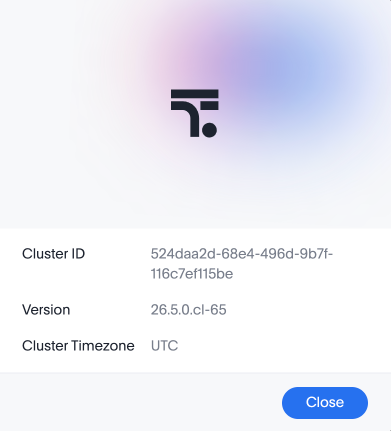
The new About menu item in the Help menu is now generally available (GA). This feature allows you to see the Cluster ID, Version, and Cluster Timezone for your cluster.
KPI chart settings GA
Advanced controls for KPI charts are now generally available (GA). You can now:
-
Decide how missing dates are displayed (as gaps, ignored, or treated as 0).
-
Specify whether to show or hide the current date, previous date, and previous value.
-
Abbreviate previous day (PD), previous month (PM), previous quarter (PQ), or previous year (PY).
-
Decide whether change is shown as percentage or absolute value.
-
Specify whether the measure’s increase is a positive or negative change.
-
Set different colors for anomalies, indicating whether they are above or below the expected value.
-
Choose to display null data as 'zero' or 'no data found'.
For more information, see KPI charts.
Focused home page Early Access
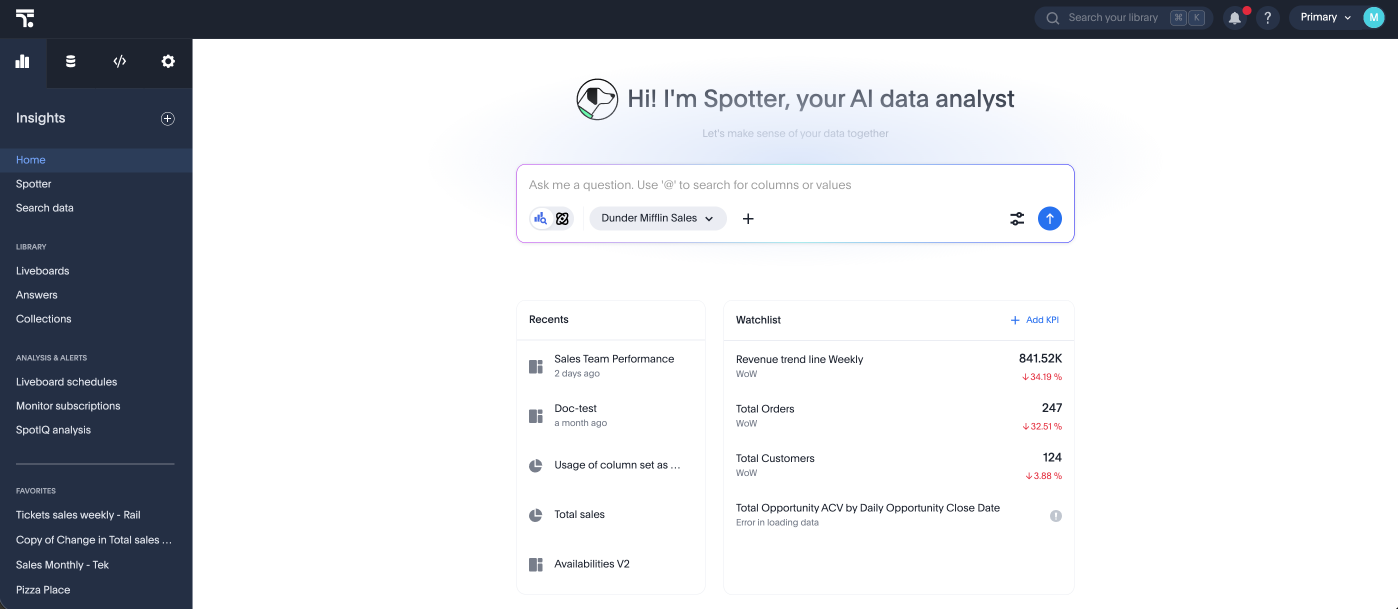
ThoughtSpot introduces a new focused home page experience option. The focused home page delivers a streamlined, contemporary experience for users that highlights the Spotter experience. Administrators can manage the home page version for all Orgs when the feature is enabled. To enable this feature, contact your administrator. For more information, see Focused home page.
Customizable home page announcement GA
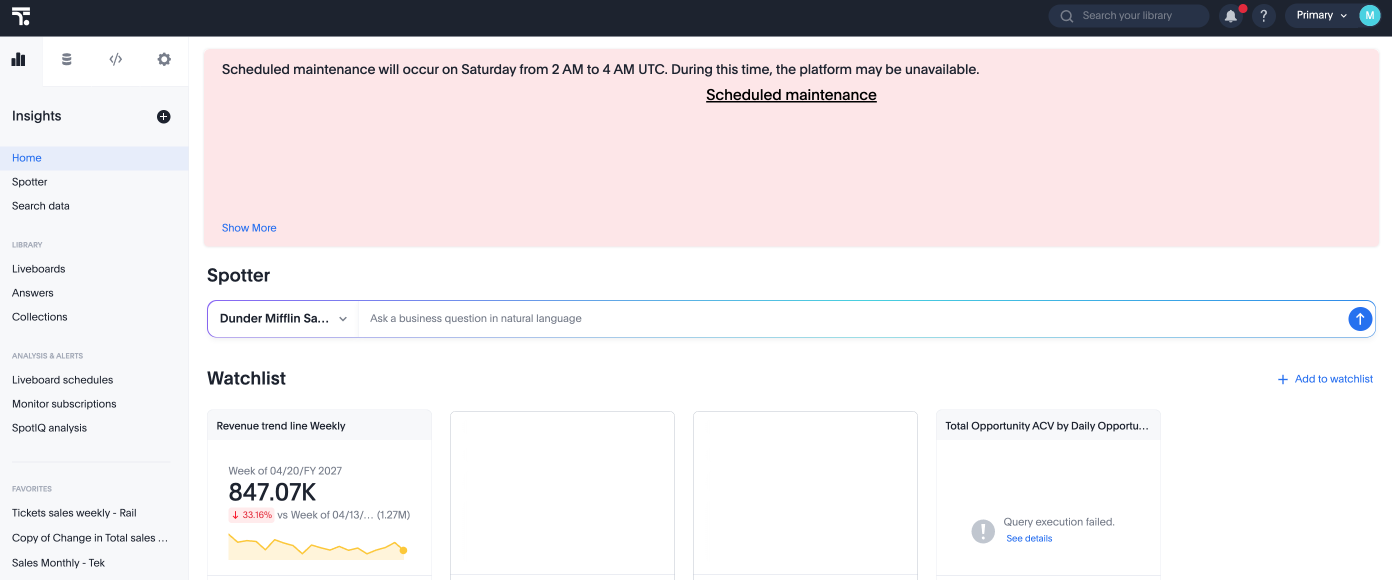
ThoughtSpot introduces the option to add a custom note tile to the home page where administrators can communicate important information, such as scheduled maintenance or new features to their users. This feature is generally available (GA).
For more information, see Custom home page announcement.
New charts library GA
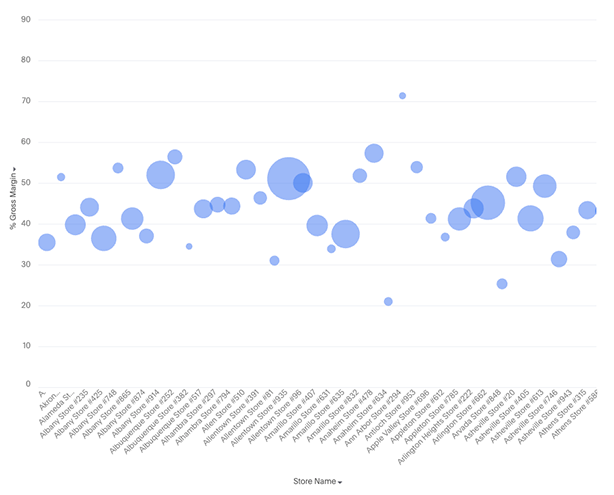
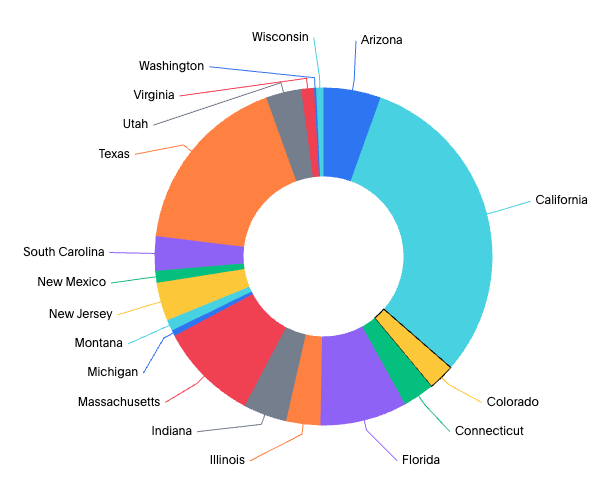
The new charts library is now generally available (GA) and is the default charting experience in ThoughtSpot. These new charts unlock sophisticated visualizations like faceted, cross-tabbed, multivariate, and bullet charts. They also resolve previous limitations by allowing multiple columns in line column charts and slicing by color with multiple measures, while providing deeper granular control over configurations such as tooltips, data labels, and axes.
In this release, we introduce the following new charts:
-
Bubble
-
Donut
-
Scatter
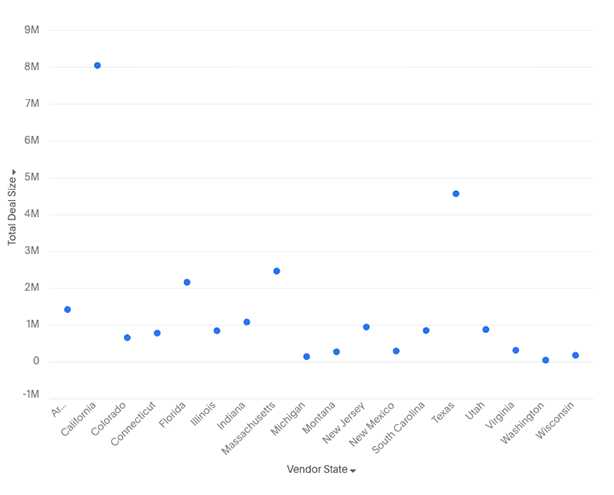
For more information, see New charts library.
Gradient legends for charts GA
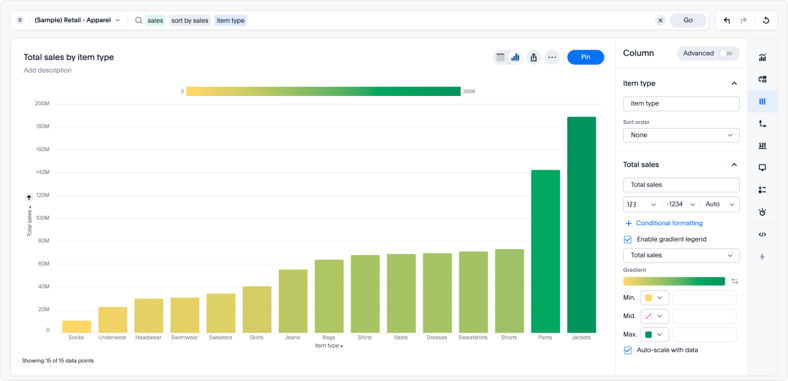
You can now encode a continuous measure, like profit margin or revenue, as a color gradient directly in the following charts in the new charts library:
-
Column (non-stacked)
-
Bar (non-stacked)
-
Line-column (non-stacked)
-
Scatter
-
Bubble
-
Donut (Arc marks, where the gradient applies to the slice fill)
Instead of building a separate chart or data table to surface a second variable, you can enable a gradient legend on any measure column and optionally set a "Vary by" measure to drive the color scale independently of the displayed value. This makes it faster to spot outliers, patterns, and directional trends at a glance. Hovering over a data point shows the exact value of the "Vary by" measure in the tooltip.
For more information, see Gradient legends.
Command palette GA
You can now access anything in ThoughtSpot from a single keystroke. The command palette (kbd:[Cmd] + kbd:[K] on Mac / kbd:[Ctrl] + kbd:[K] on Windows and Linux) is a global command center that unifies navigation, search, and actions across the ThoughtSpot platform. Instead of switching between menus, list pages, and contextual controls, you can find content, trigger workflows, and navigate to any part of the product — all from one place. The command palette is generally available (GA).
With the command palette, you can:
-
Search across Liveboards, Answers, Models, and more in one place.
-
Launch a new Answer, Liveboard, or Spotter chat.
-
Jump to any section of ThoughtSpot directly, from Home to Admin settings.
-
Type your data question and send it straight to Spotter.
-
Press forward slash (/) to filter your search by Liveboards, Answers, Admin Settings, Create, Spotter, Models, Tables, and Collections.
-
Search results are ranked by relevance, surfacing the most useful answers, Liveboards, and destinations based on your query and usage history.
-
Navigate with / filters — Type /navigate in the palette to scope results to application destinations, including sub-section headings. Navigation results respect your role and permissions, so you only see sections you can access.
-
Onboarding tips — First-time users see contextual guidance in the palette’s empty state, helping you discover what the command palette can do without leaving your current page. For more information, see Command palette.
Continuous Liveboard PDF experience GA
The continuous Liveboard PDF experience is now generally available (GA). This feature eliminates page breaks and preserves the layout of the original Liveboard, ensuring the exported PDF remains true to the on-screen experience. For more information, see Download a Liveboard.
Collections GA
Collections are generally available (GA). Collections in ThoughtSpot are organizational containers that group and manage ThoughtSpot objects in nested hierarchies, similar to folders on a computer. A Collection can contain Liveboards, Answers, data models, tables, and other Collections. Collections help you organize content, share curated and structured content, and collaborate with others. You can also assign different levels of access permissions to the users you share your Collections with.
With Collections, you can:
-
Filter the content in a Collection using column headers, such as Type and Author. The filtering experience is consistent with the Answers and Liveboards list pages.
-
Star a Collection to mark it as a priority. Starred Collections stand out in the Collections list, so you can quickly find the containers you are actively working in.
For more information, see Collections in ThoughtSpot and Filter content in a Collection and Star a Collection.
Column property sync Early Access
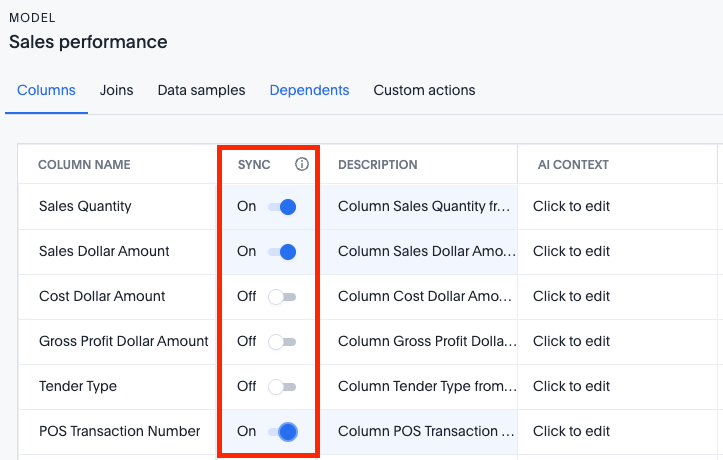
ThoughtSpot now allows you to keep parts of a Model in sync with the underlying tables in the cloud data warehouse (CDW). Previously, as tables from the CDW were updated with new information from the CDW, it would cause the link for some column properties from the table to the Model to break. If there were multiple Models on the same table, for changes like renaming a column or updating a description, you would have to go into each Model and update the values individually. To enable this feature, contact your administrator.
For more information, see Model column property sync.
Manage and remove parameterization from the UI GA
Administrators can now manage and remove parameterization on tables and connections directly from the ThoughtSpot UI when publishing is enabled. From the tables or Connections page, administrators can remove variable bindings from one or more objects or use the new Manage Parameters option to view, edit, add, or remove individual field-to-variable mappings without starting over. To use this feature, publishing must be enabled by ThoughtSpot Support. For more information, see Unparameterize metadata objects.
Pivot tables in Liveboard exports Early Access
ThoughtSpot introduces support for exporting pivot tables in XLSX format. This feature ensures that pivot tables retain their full visual formatting and structural integrity when exported as XLSX files from a Liveboard. To enable this feature, contact your administrator. For more information, see Pivot tables in Liveboard exports.
Models in object search Beta
Models are now fully discoverable through ThoughtSpot’s unified search. Whether you’re using the global search bar or the search results page, Models appear alongside Answers and Liveboards — making it faster and easier to find the data foundation your analyses are built on. To enable this feature, contact ThoughtSpot Support.
Answer-level sets Early Access
ThoughtSpot introduces sets at the Answer level to answer query-on-query questions by generating and consuming Query sets within a single Answer flow. Users with edit permissions on an Answer can view and modify the associated Sets.
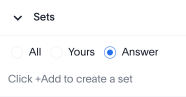
| These sets are Answer-specific and only saved if the Answer object is saved. |
To enable this feature, contact your administrator.
For more information, see Query sets.
Allow export of high-resolution Liveboard PNG files GA
The export of high-resolution PNG images of Liveboards is now generally available (GA). You can now export improved high resolution PNG images of Liveboards. Previously, PNG exports were PDF reports in a PNG format created by taking a rolling screenshot of the PDF report generated in a headless browser.
Aggregate-aware query execution GA
Search data automatically switches from detailed Models to associated aggregate Models based on query granularity, reducing cloud costs and improving query latency without affecting insight accuracy. Aggregate-aware query execution is generally available (GA). For more information, see Aggregate-aware query execution.
Return to last screen on Admin portal refresh GA
The Admin portal now preserves your navigation state across browser refreshes and through back and forward navigation. This feature is generally available (GA). Previously, a refresh dropped you back to a default screen and the back button exited the Admin portal entirely. This could be especially disruptive for cluster admins working across All Orgs and Primary Org view modes. Now the browser URL is the source of truth for the active admin tab, screen, and Org context. This means that you can link and bookmark admin pages so that they are restored exactly where you left off after a refresh.
The Command Palette (⌘K / Spotlight) has also been extended so every admin screen is searchable with sub-tab path labels navigable directly from the ⌘K overlay.
Centralized filter window GA
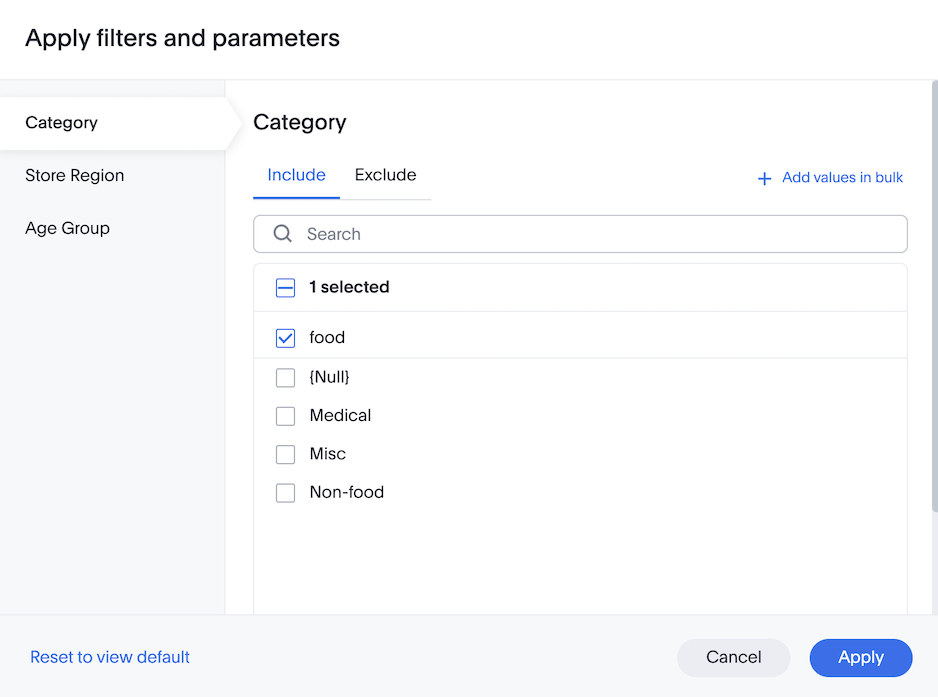
The centralized filter window introduces a single, unified interface for managing all Liveboard filters. Users can use this to view, update, and apply multiple filters at once, rather than interacting with each filter individually. This feature supports bulk filter changes, clear and reset actions, and provides a streamlined workflow for complex analyses. This improves efficiency, especially when working with Liveboards containing many filters or when users need to adjust several dimensions simultaneously. For more information, see Centralized filter window.
TML support for Collections GA
You can now use ThoughtSpot Modeling Language (TML) to export Collections along with their hierarchy. You can also import Collections into new environments while retaining their complete folder structure.
For more information, see TML for Collections.
Variables GA
Variables are now generally available (GA). ThoughtSpot introduces variables to allow you to substitute values for specific properties of an object and enable dynamic data propagation across Orgs in ThoughtSpot. You can create variables of the following types: table mapping, connection property, and formula variable. In addition, you can delete, search, edit, and rename the variables. Note that you can create variables in ThoughtSpot, or by using APIs. If you are using APIs, you can also create connection property per principle variables. To create variables using APIs, see Custom variables. To create variables in ThoughtSpot, see Create variables.
Snowflake Semantic Views integration Early Access
ThoughtSpot introduces Snowflake Semantic Views integration. This allows you to import external semantic model definitions from Snowflake Semantic Views that are then converted into fully functional, native ThoughtSpot Models. This eliminates the need to manually recreate Models and ensures consistency. To enable this feature, contact your administrator.
For more information, see Integrate with Snowflake Semantic Views.
Snowflake Semantic Views resync Early Access
You can now resync Snowflake Semantic Views integrations when the Snowflake semantic model or uploaded definition changes. Administrators can manage and resync Semantic Views as needed to reflect changes made in Snowflake. To enable this feature, contact ThoughtSpot Support. For more information, see Integrate with Snowflake Semantic Views.
Snowflake semantic integration enhancements Early Access
ThoughtSpot introduces the following enhancements to the Snowflake semantic integration experience:
-
A new inline editor
-
A new refreshed user experience
-
A new option in the more menu to import semantic updates
To enable this feature, contact ThoughtSpot Support.
For more information, see Integrate with Snowflake Semantic Views.
Scheduled Liveboards: dedicated connection configuration GA
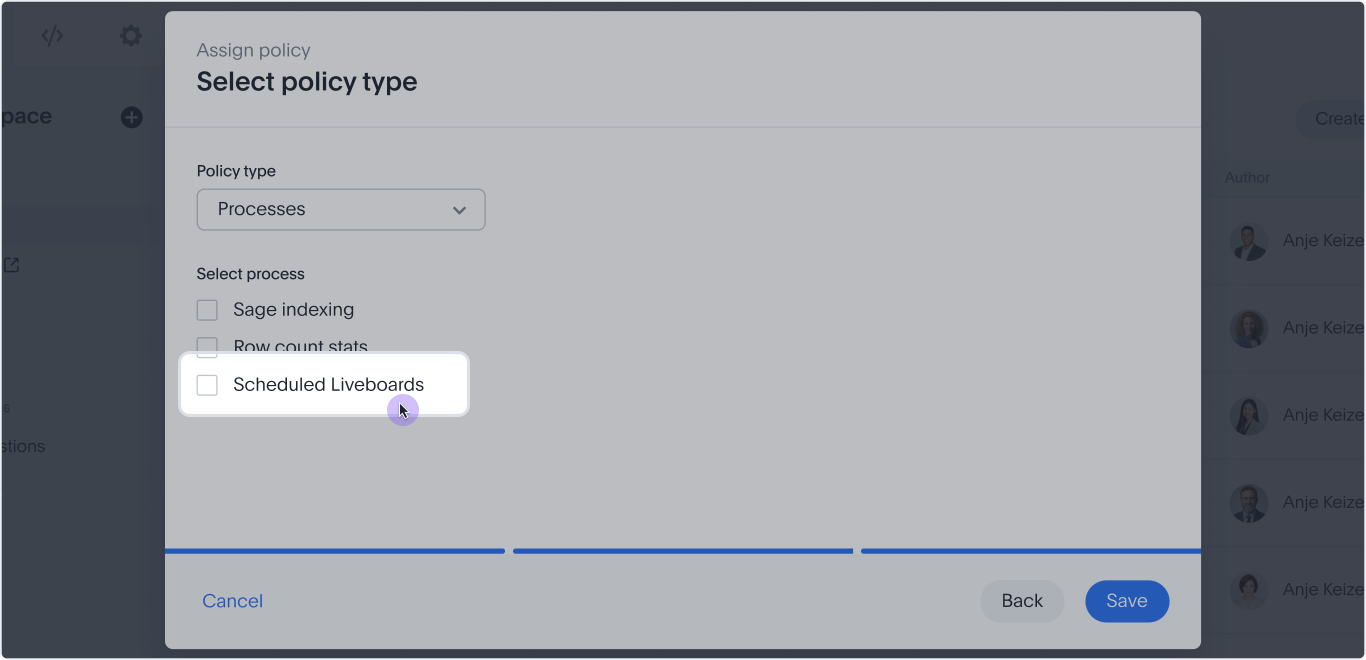
You can now add a Scheduled Liveboards process type to a connection configuration, so scheduled Liveboard queries can use a separate warehouse, credentials, or non-OAuth authentication method instead of the parent connection’s defaults.
Look for the new Scheduled Liveboards checkbox under the Processes policy type in Connection Configuration, alongside the existing Row count stats option.
Supported connectors |
Snowflake, Databricks, Google BigQuery |
Authentication |
Non-OAuth only |
Query routing |
Scheduled Liveboard tasks automatically route to this configuration |
Limits |
One configuration per process type; multiple processes can share a single configuration |
For more information, see Add a Snowflake connection, Add a Databricks connection, and Add a Google BigQuery connection.
Outline encoding support GA
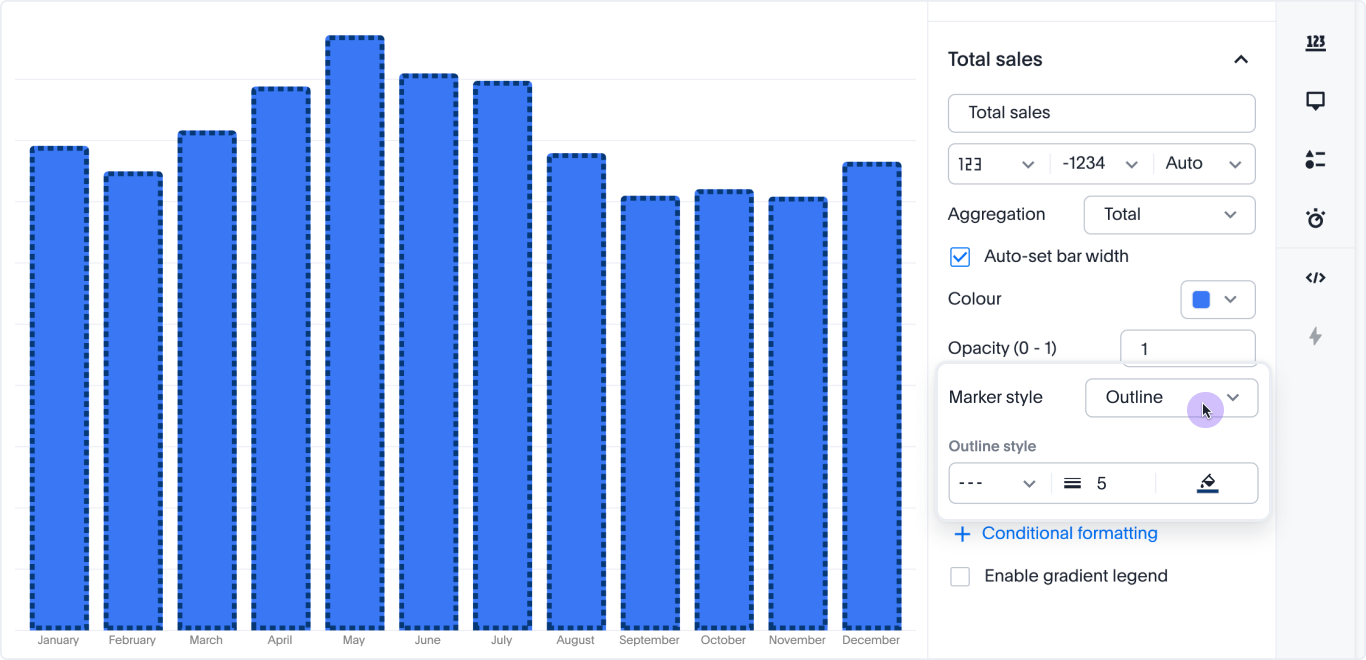
You can now use data to drive the outline (border) color of chart markers such as bars, arcs, and points. Bind a field to the outline color encoding to automatically generate an ordinal color palette or a continuous gradient, complete with legend and tooltip support. Outline width and dash style remain configurable per data point. Existing outline configurations are fully backward compatible. For more information, see Chart marker styles.
Horizontal scrollbar for charts and pivot tables GA
ThoughtSpot now renders a horizontal scrollbar across all chart types. For pivot tables, this removes the previous row-header column width cap, so attribute labels render at their full natural width instead of being truncated. The scrollbar behavior is consistent across chart types and viewport sizes. For more information, see Understanding charts.
Model sharing enhancement Early Access
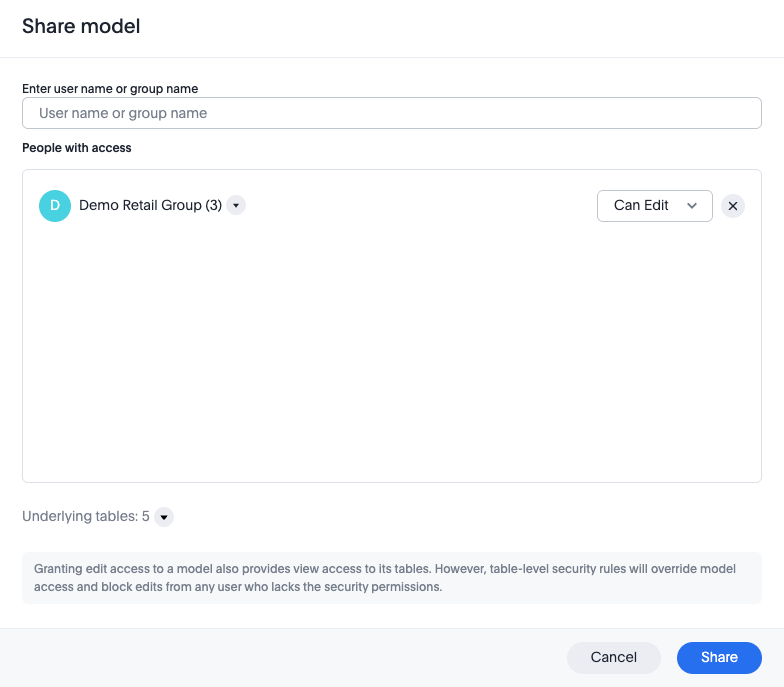
The Model sharing enhancement is now Early Access. When you share a Model with Edit access, the system automatically grants View access to all underlying tables and Views referenced by that Model. This eliminates the need to manually share access to dependent objects, significantly reducing the effort required to manage permissions and ensuring a smoother sharing experience. To enable this feature, contact your administrator.
For more information, see Share Models.
Suggestion settings column GA
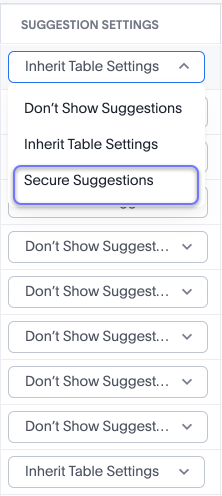
Suggestion settings are now generally available (GA). We have added the Suggestion Settings column to Models. This is used in conjunction with row-level security to ensure that values displayed in sample values and Spotter flows are secured.
Where columns require that strict row-level security is applied to sample values and Spotter, then set the Suggestion Settings column as Secure Suggestions.
For more information, see Suggestion settings.
Column security rules GA
Column security rules are generally available (Opt-in) in this release. Column security rules (CSR) let you restrict access to sensitive columns without the complexity of managing per-column shares.
Mark a column as protected and assign group access through the new Manage access panel — users who do not belong to an assigned group cannot see the protected column in search, Answers, or Liveboards, even if the table is shared with them. Protection is automatically inherited by Model and view columns derived from a protected base column. CSR coexists with the existing column-level security model — enabling CSR does not affect your current configuration. To enable this feature, contact ThoughtSpot Support. For more information, see Column security rules.
Personalized views enhancements Early Access
ThoughtSpot now protects user-created personalized views when you migrate Liveboard TML across environments. Previously, importing an updated Liveboard TML from a development environment would overwrite all views in production, including those created by end users. The username and the email of the owner of each view is now displayed in the Liveboard TML so administrators can see who owns each view, and can transfer ownership by editing that info in the Liveboard TML. Personalized views now also have Object IDs, similar to tables and model references in the Liveboard TML. With this release, ThoughtSpot uses a smart merge approach. Smart merge is only possible using the TML import APIs. Using the API, you can opt in to smart merge by passing a new field as TRUE. The UI will continue to show the original merge logic. Views that exist only in production are preserved, new views from the source TML are added, and views present in both are updated. For more information, see Import and export TML files.
To enable this feature, contact your administrator.
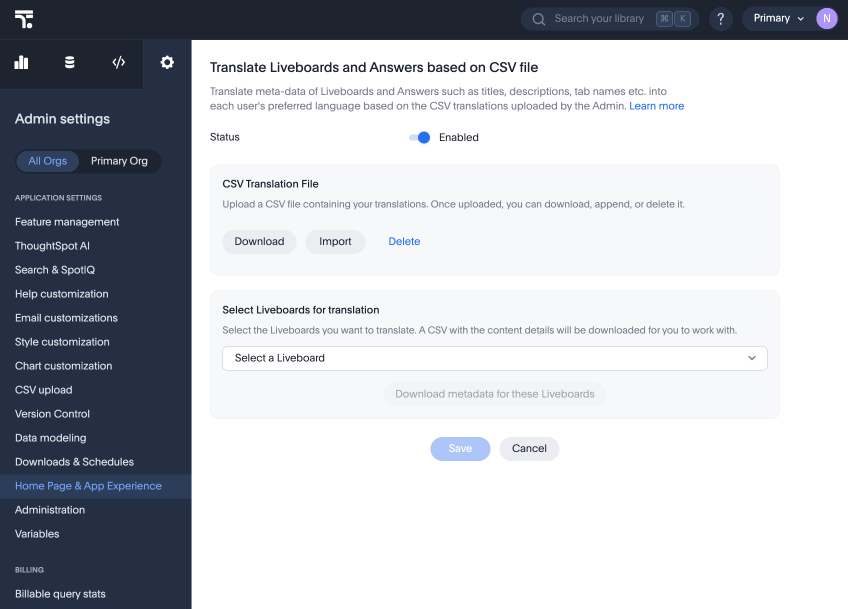
Manual translation service for Liveboard and Answers GA
To take more control over how ThoughtSpot translates content for users in other locales, you can manually upload a CSV containing translations of terms and labels in Liveboards and Answers. These translated terms appear in ThoughtSpot automatically when a user in the defined locale language opens the Liveboard or Answer. For more information, see Manual translation.
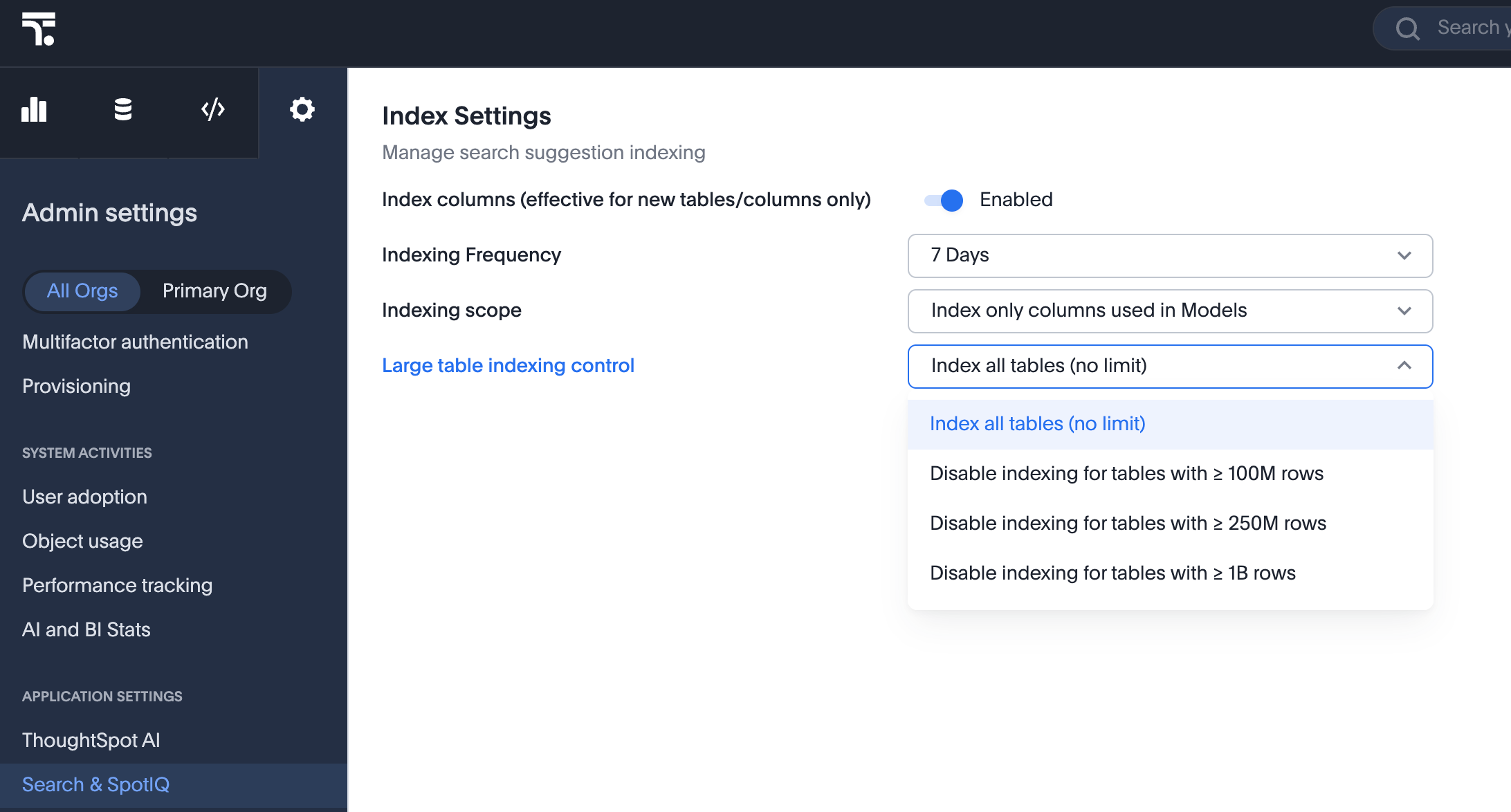
Skip indexing large tables GA
Admin users can now specify to skip indexing for tables of a certain size. By default, ThoughtSpot does not set a limit on the size of tables it indexes. You can choose to Index all tables, Disable indexing for tables with ≥ 100M rows, Disable indexing for tables with ≥ 250M rows, or Disable indexing for tables it ≥ 1B rows.
For more information, see Managing search and SpotIQ settings.
Publishing workflow GA
Publishing from the primary Org is now generally available (GA). Publishing allows you to create an object in the Primary Org and publish it directly to target Orgs without generating duplicate copies. You can also unpublish objects across Orgs.
For more information, see Publishing objects between Orgs.
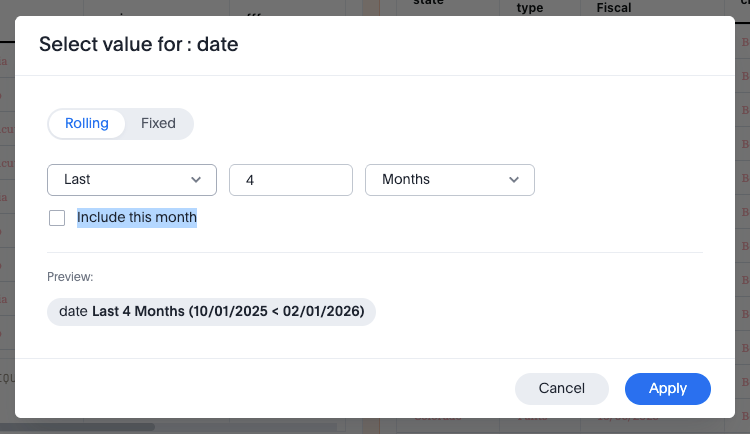
Rolling date filters: last period and this period GA
You can now include the current period within a date filter chip, when selecting a rolling date filter. This allows you to define a date range such as "last two months, including this month." This rolling date filters enhancement applies to both Liveboard and Answer filters.
For more information, see Date filters.
Add object to Collections from list pages GA
You can now add objects to Collections directly from your Answers, Liveboards, and Data list pages without navigating to the Collections page, by clicking on Add to Collections at the top of the list page.
For more information, see Add objects to a Collection.
Collections GA
Collections are now generally available (GA). Collections in ThoughtSpot are organizational containers that group and manage ThoughtSpot objects in nested hierarchies, similar to folders on a computer. A Collection can contain Liveboards, Answers, data models, tables, and other Collections. Collections help you organize content, share curated and structured content, and collaborate with others. You can also assign different levels of access permissions to the users you share your Collections with.
With Collections, you can:
-
Filter the content in a Collection using column headers, such as Type and Author. The filtering experience is consistent with the Answers and Liveboards list pages.
-
Star a Collection to mark it as a priority. Starred Collections stand out in the Collections list, so you can quickly find the containers you are actively working in.
For more information, see Collections in ThoughtSpot and Filter content in a Collection and Star a Collection.
Non-equi join modeling support Beta
In this release, we add support for non-equi joins when modeling in the ThoughtSpot UI which reduces modeling time. Up to now, only equi (=) joins were supported in the UI, which limited modeling flexibility. Beginning in this release, you can use the following non-equi joins in the UI: <, >, <=, >=, and !=. To enable this feature, contact ThoughtSpot Support. For more information, see
Using non-equi joins.
Deactivate a Connection GA
You can now deactivate Connections directly within ThoughtSpot, suspending all activity on that Connection until it’s re-enabled. To reference an example, see Deactivate a Snowflake connection.
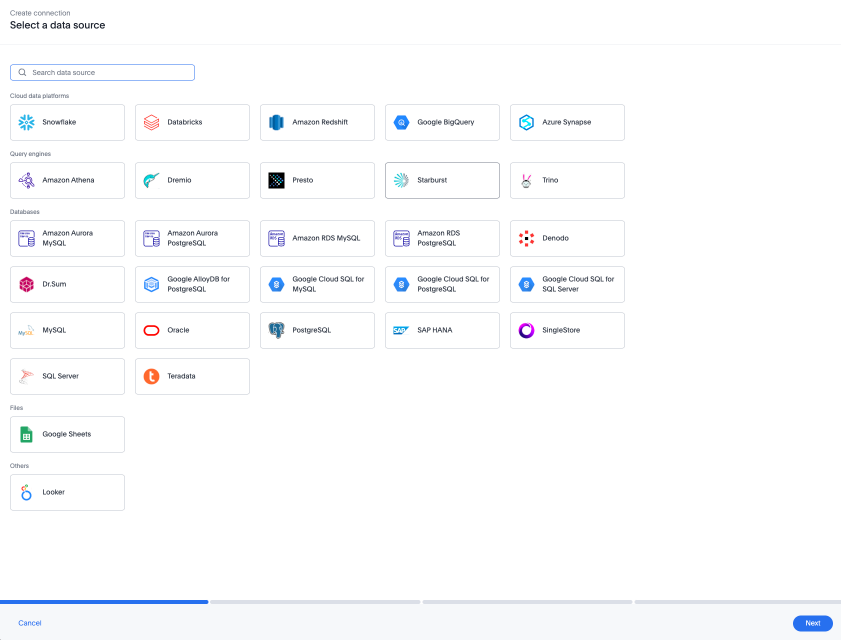
New connection experience GA
The new connection creation experience is now generally available (GA). We redesigned and streamlined the process to create a Connection. Set up your Connection in four easy steps by selecting a data source, configuring the Connection, selecting databases, and selecting tables.
For more information, see New connection configuration experience.
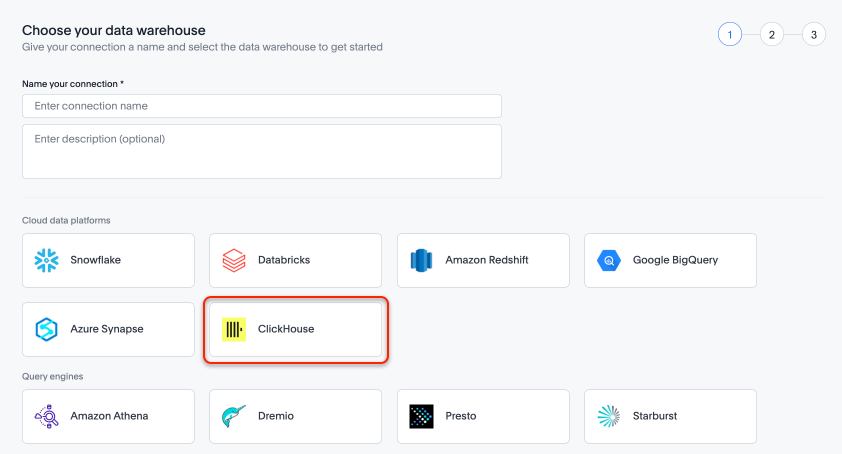
ClickHouse connection GA
ClickHouse connections are now generally available (GA). For more information, see ClickHouse.
Connect to Iomete Early Access
You can now connect to Iomete cloud data warehouses. To enable this feature, contact your administrator. For more information, see Connect to Iomete.
x509 authentication for Databricks and Snowflake
We now support x509 authentication for Databricks and Snowflake.
Databricks driver upgrade GA
We have upgraded the Databricks OSS driver to version 3.4.1. For more information, see Cloud data warehouse driver details for connections.
Trino driver upgrade
We have updated the Trino driver version to version 480. For more information, see Data warehouse driver details for connections.
ThoughtSpot Embedded
Customers licensed to embed ThoughtSpot can use ThoughtSpot Embedded features and the Visual Embed SDK.
To enable ThoughtSpot Embedded on your cluster, contact ThoughtSpot Support.
For new features and enhancements introduced in this release for ThoughtSpot Embedded, see ThoughtSpot Developer Documentation.