Edit a Denodo connection
You can edit a Denodo connection to add tables and columns.
Follow these steps to edit an existing Denodo connection:
-
Navigate to Data workspace > Connections.
-
Find the name of the connection.
-
Sort each column: Connection name, Connection type, _Modified (date), or Author.
-
Search on these categories.
-
-
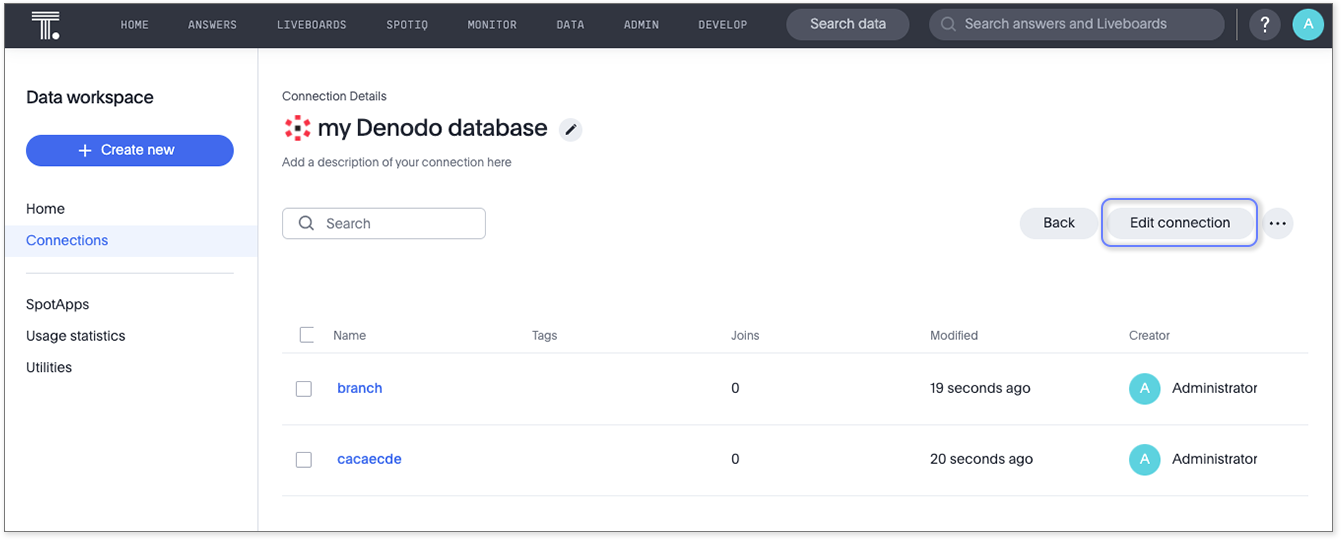
Select the name of the connection.
-
Click Edit.
-
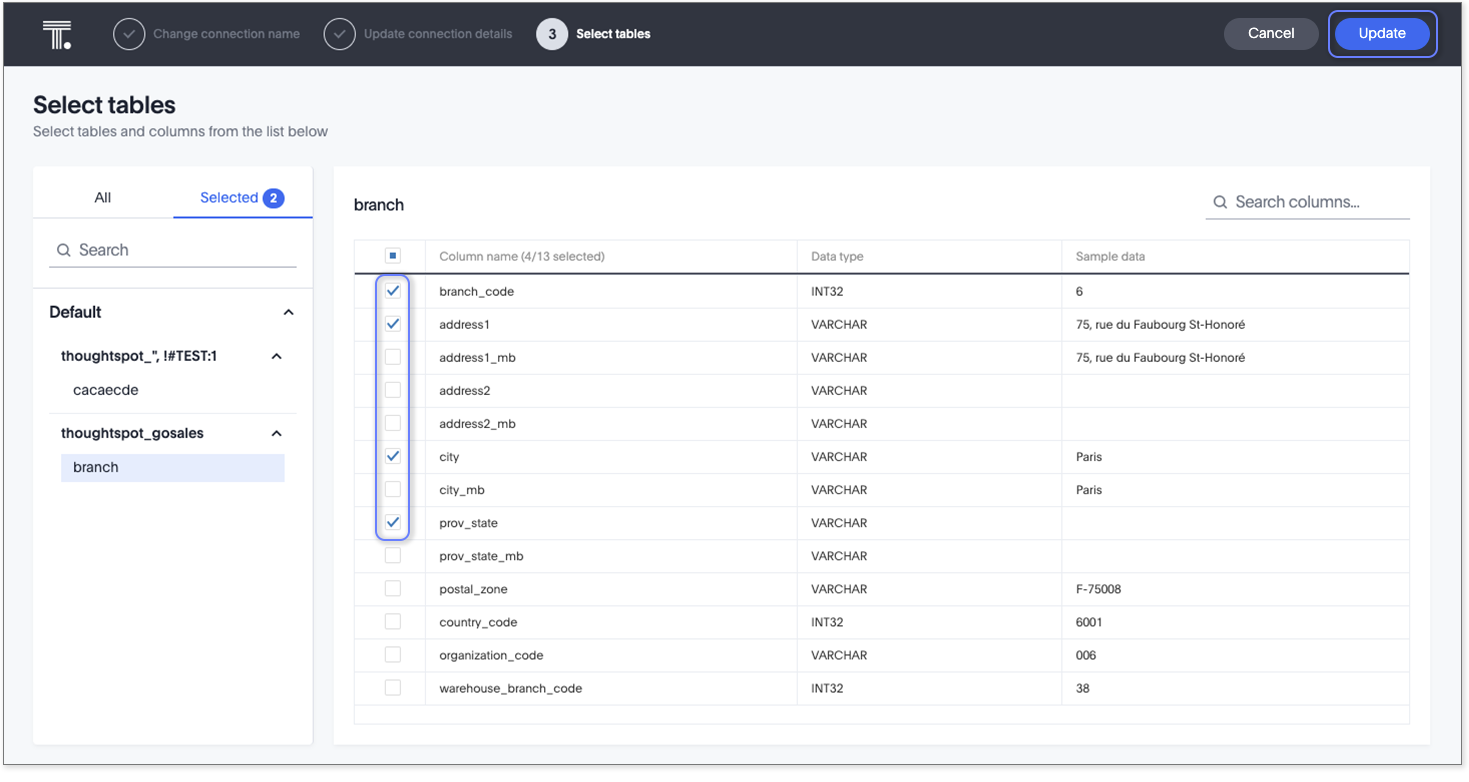
The Select tables page appears.
-
To change the connection name and description, click the Change connection name at the top of the screen.
-
To change the properties of the connection, such as authentication parameters, click the Update connection details option.
-
Click Next to navigate through the editing workflow.
-
-
Click Update connection to save the updated connection details.
|
To save your changes without completing all steps, click Save and exit on the connection configuration step. ThoughtSpot saves your changes and returns you to the connection details page. |