Edit a presto connection
To edit a presto connection:
-
Navigate to Data workspace > Connections.
-
Select the name of the connection you want to edit.
-
Click Edit.
-
You can now change the connection name and update the connection details, by selecting the appropriate option at the top of the screen, making any changes needed and clicking Next to go to the next page.
-
Expand the database table dropdown menu, and select the tables and columns you want to add.
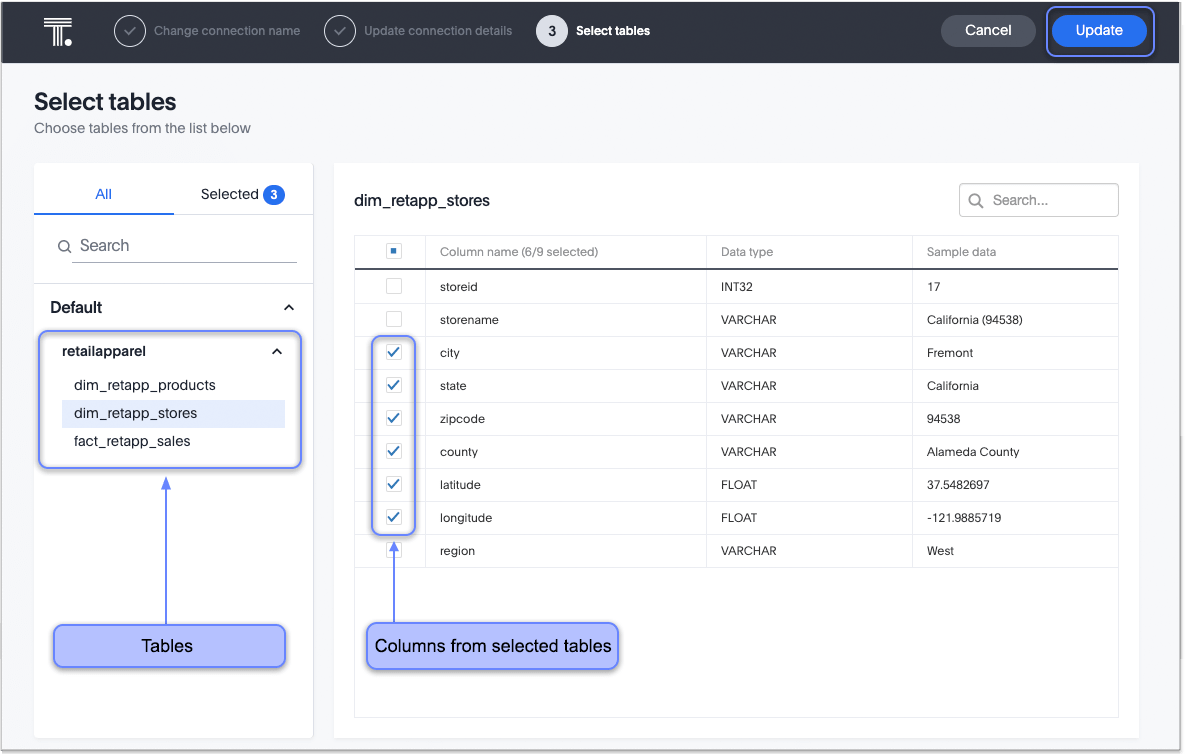
-
Click Next, and then click Update connection to save the updated connection.
To save your changes without completing all steps, click Save and exit on the connection configuration step. ThoughtSpot saves your changes and returns you to the connection details page.
To remove a table from a connection, delete it from the connection details page. For more information, see: Delete a presto connection.
See the Connection reference for details of connection parameters.