Snippets
Demo
Creating your first Snippet
To create a snippet, select command / control + k, and search for "Create snippet".
Working with dates is a good example. Consider this snippet we use at SeekWell which creates three date formats from a timestamp.
date_trunc('day', {{column_name}})::date as "{{alias}}_day",
date_trunc('week', {{column_name}})::date as "{{alias}}_week",
date_trunc('month', {{column_name}})::date as "{{alias}}_month"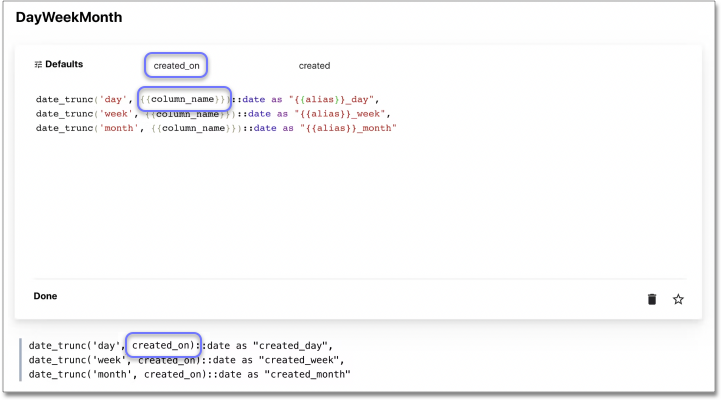
Once you type {{, you’ll see the variable added to "Defaults". Here you can add a commonly used value for the variable (for example, created_on).
| Variables are optional, not adding variables will create a "static snippet". |
Navigation
-
To create a snippet, select
command/control+k, and type "Create snippet". -
To use a snippet from a block, select
command/control+;(semicolon). -
To view / edit / delete your snippets, select
command/control+k, and type "View snippet".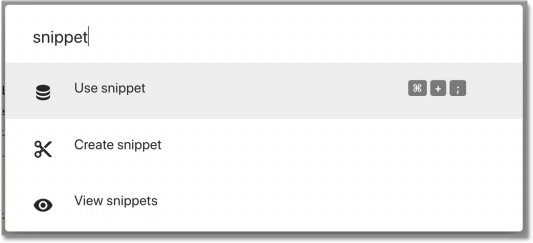
Library
SnippetLibrary
| Name | Tags | SQL |
|---|---|---|
addSubSelect |
|
|
dayWeekMonth |
|
|
addWith |
|
|
Days between two dates |
|
|
Suggest a snippet here.