Custom announcements
Custom announcements allow administrators to broadcast high-visibility, time-sensitive messages (e.g., system maintenance, data refreshes, or internal policy updates) to users. This can be done with either banners that are broadcast across all pages of the application, or as home page announcements.
Custom announcement banners
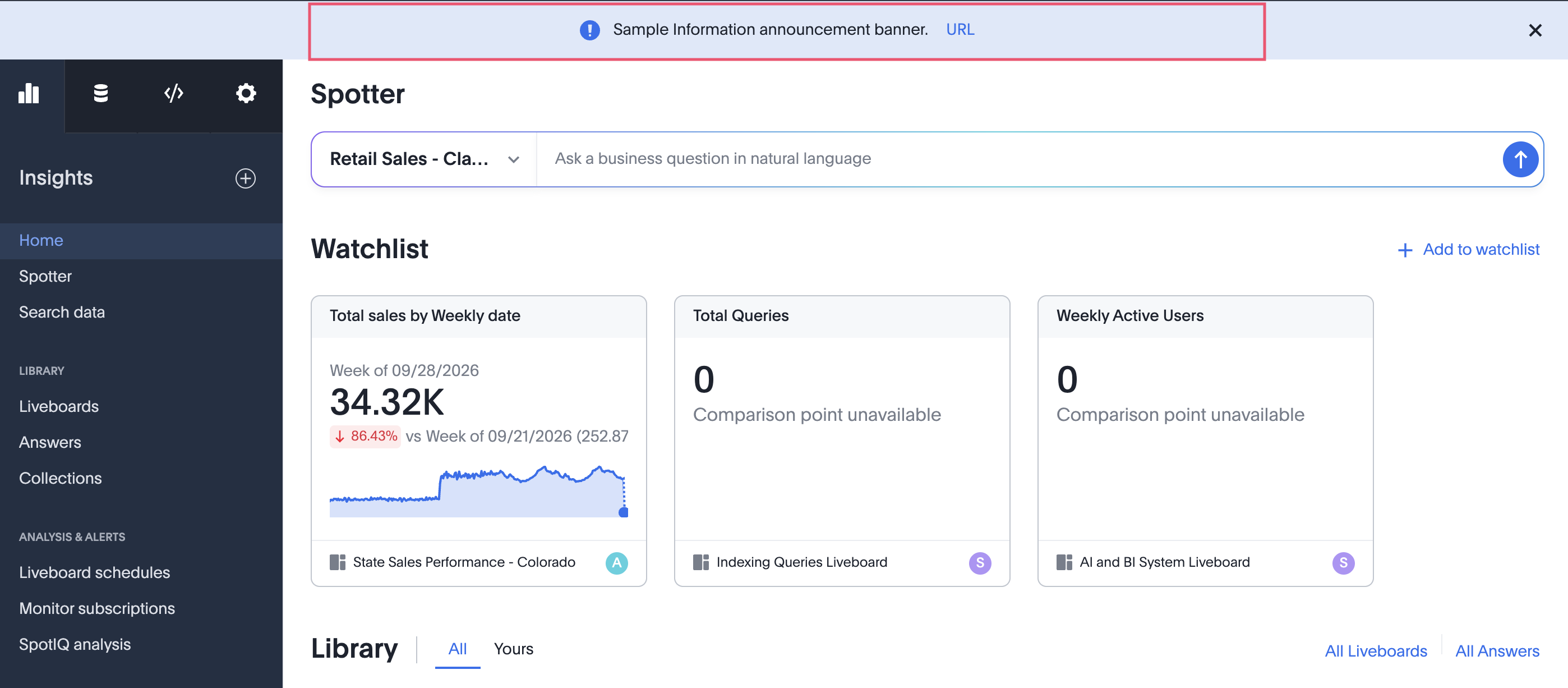
Custom announcements banners allow administrators to broadcast messages to users across all pages of the application. They are banners displayed at the top of the ThoughtSpot application interface, across pages. Contact ThoughtSpot ThoughtSpot Support to enable this feature.
You can create these announcements at either the All Orgs level or for a specific Org. They function independently and do not override one another or interfere with standard ThoughtSpot system announcements. In case of multiple announcements:
-
ThoughtSpot system announcements (can be more than one): All ThoughtSpot announcements are shown first.
-
Announcements for the ThoughtSpot instance (can be only one): They come after the ThoughtSpot system announcements in order of precedence.
-
Per Org announcement (can be only one): After the announcement for All Orgs show the Org level announcement.
These announcements continue to be visible in every session until either the user clicks on the close X button, or the announcement reaches its end of time as set by the Admin.
Create a banner announcement
-
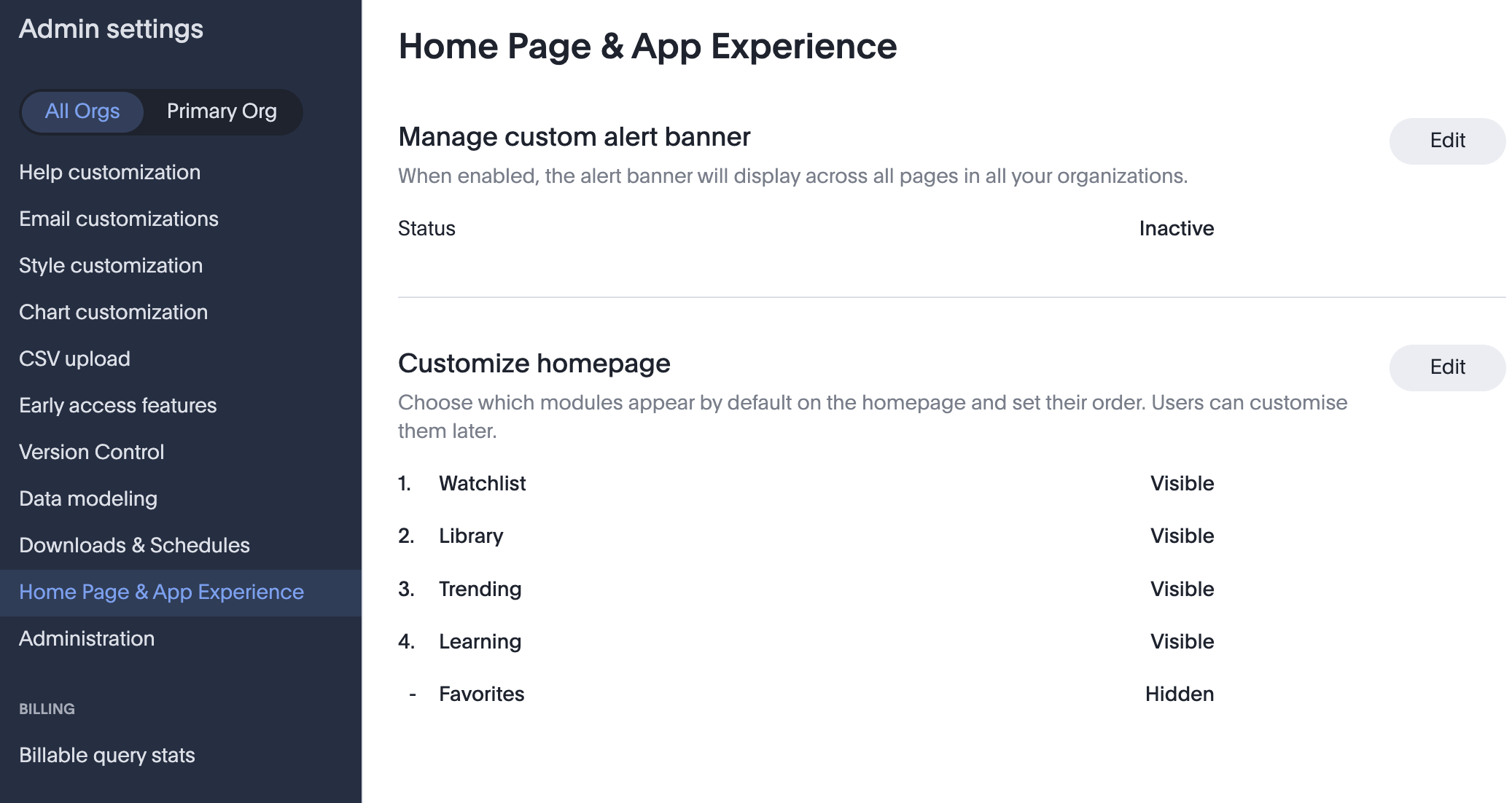
Navigate to Admin settings > Home Page & App Experience.
-
Click Edit.
-
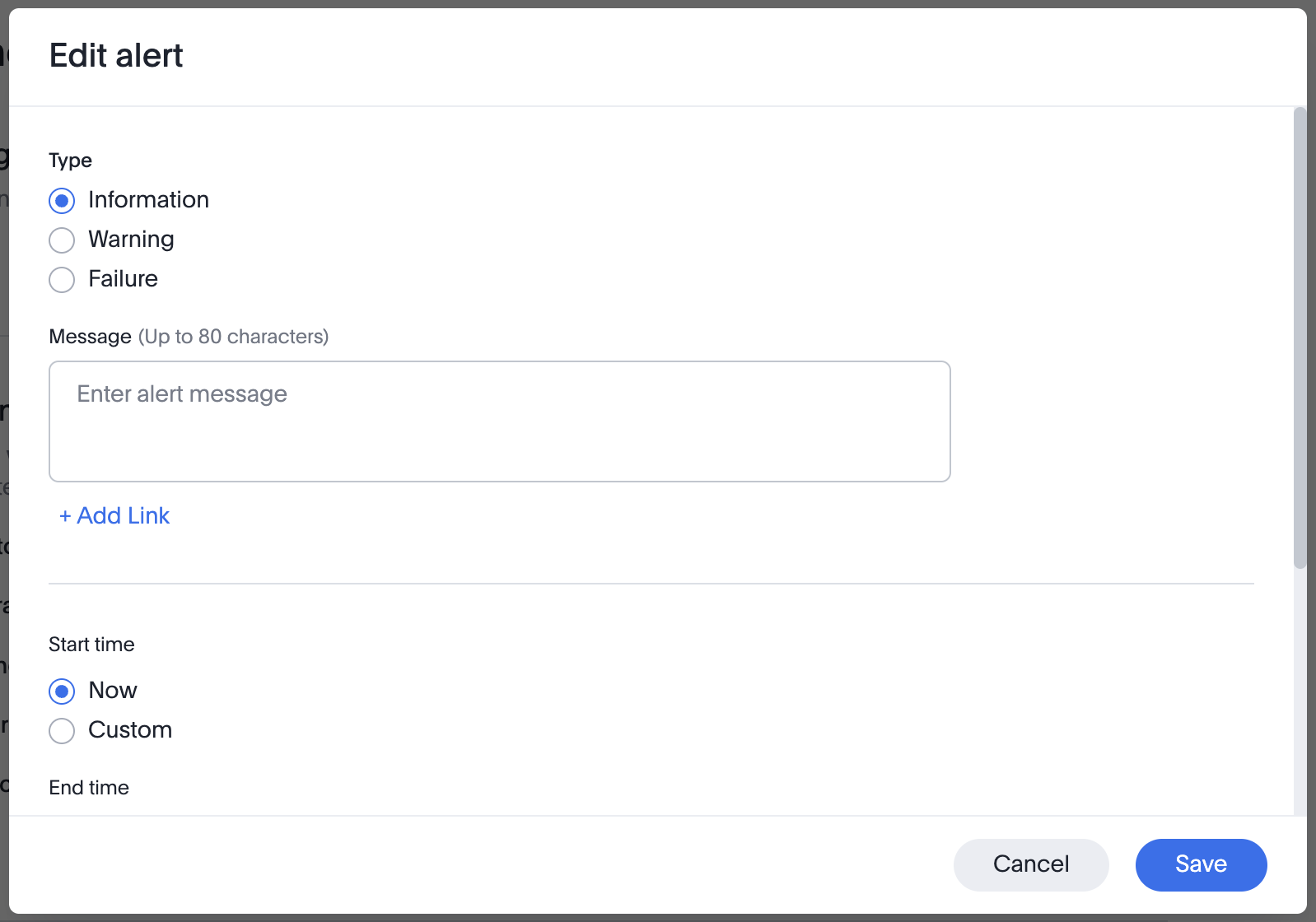
You can now select the Type of the announcement from the following options:
-
Information will show up in a blue colored banner.
-
Warning will show up in a yellow banner.
-
Failure will show up in a red banner.
-
-
Enter the description of the announcement in the text box provided for Caption. Maximum number of characters allowed in the caption is 80. Line breaks are not allowed.
-
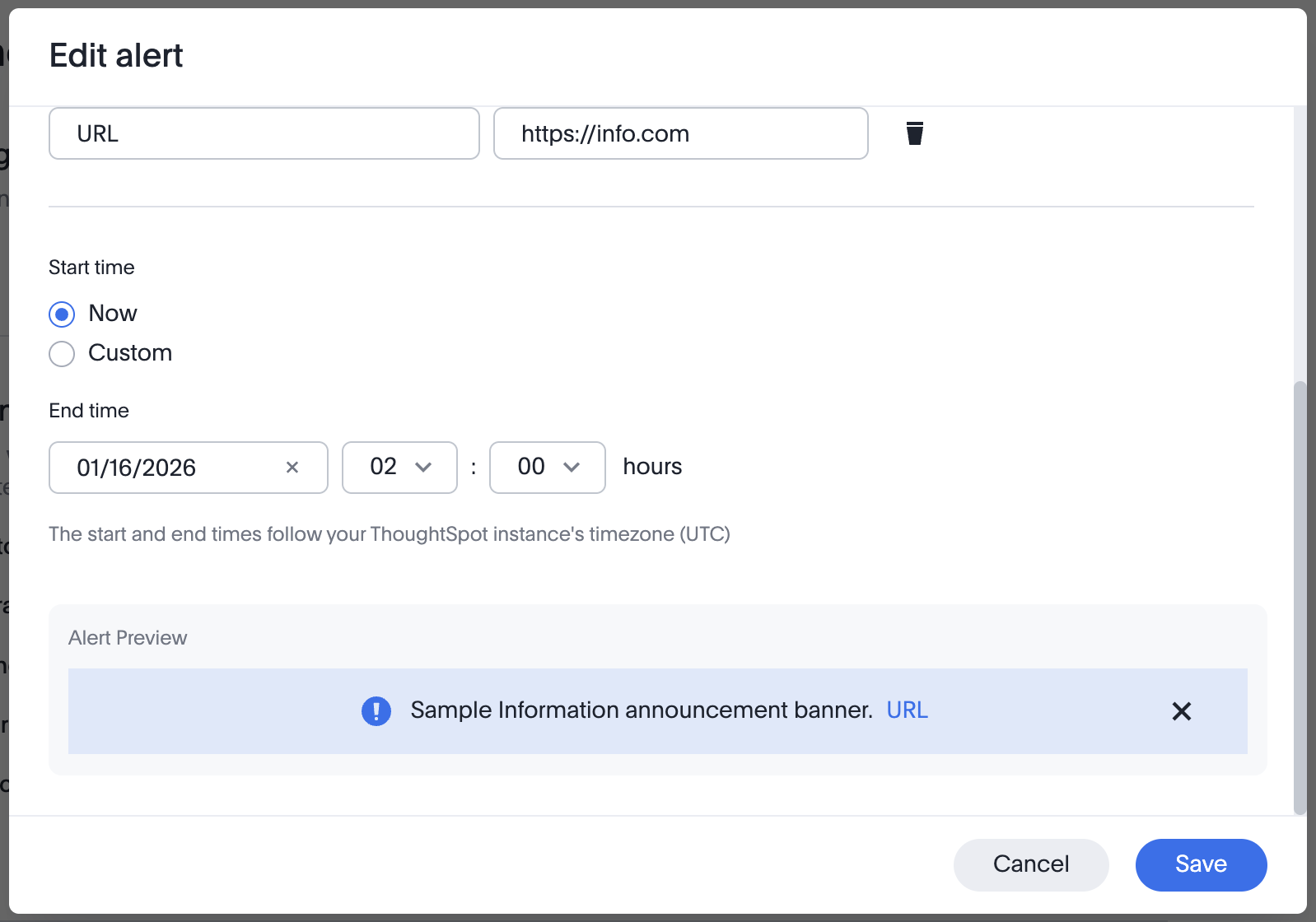
You can add an optional Link Label, and its corresponding Link URL.
-
Set a desired start and end time for the announcement. The timezone cannot be changed.
-
At the bottom of this modal, you can see a preview of your announcement.
-
Once you have completed the announcement creation, click Save. The banner will appear across the screen, at the top.
Custom home page announcement
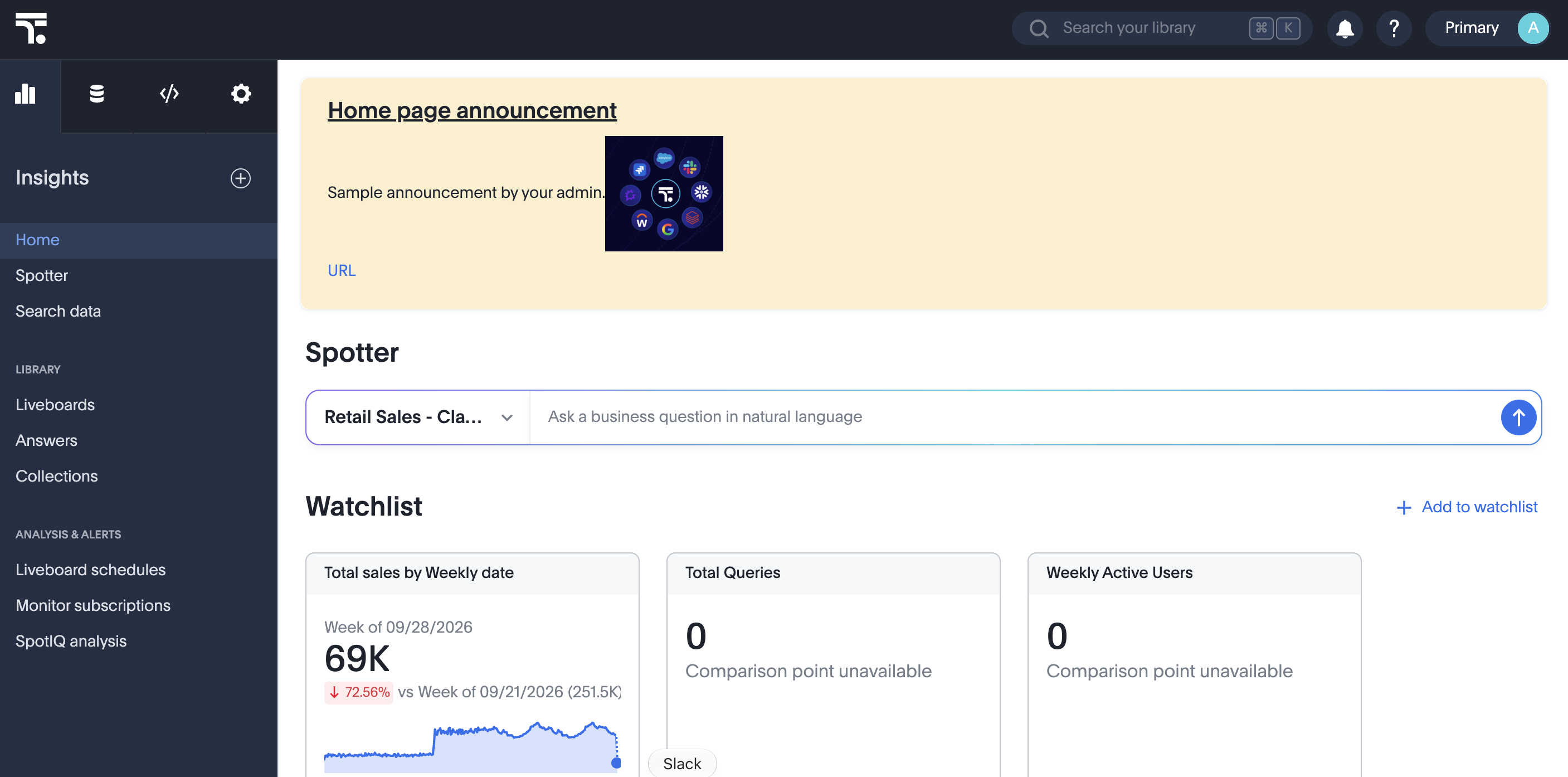
Custom home page announcements allow administrators to broadcast messages to users via the home page. They are displayed as a tile at the top of the home page.
Create a home page announcement
-
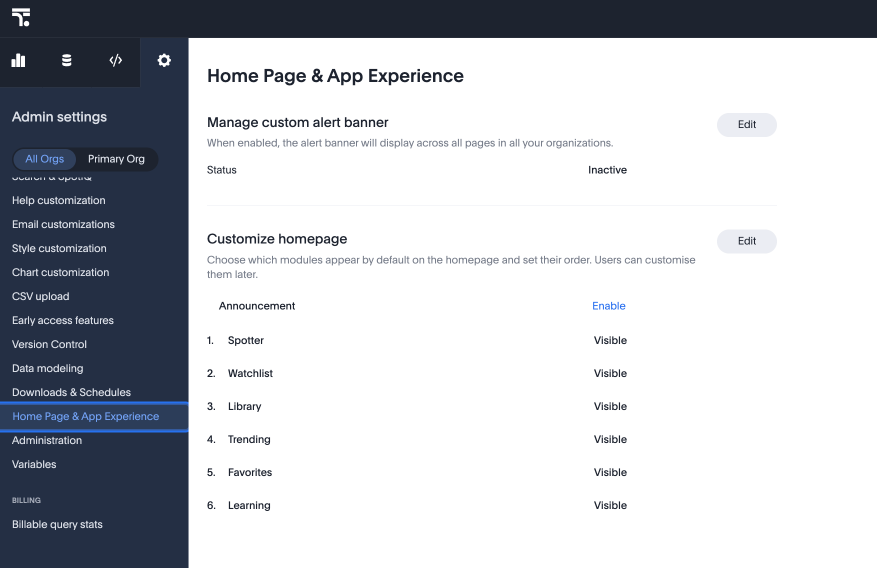
Navigate to Admin settings > Home Page & App Experience on the All Orgs tab.
-
Click Enable next to Announcement.
-
On the Edit announcement page, enter the details of your announcement to appear on the home page.
You can customize the background, font and style of the announcement. You can also include custom images. 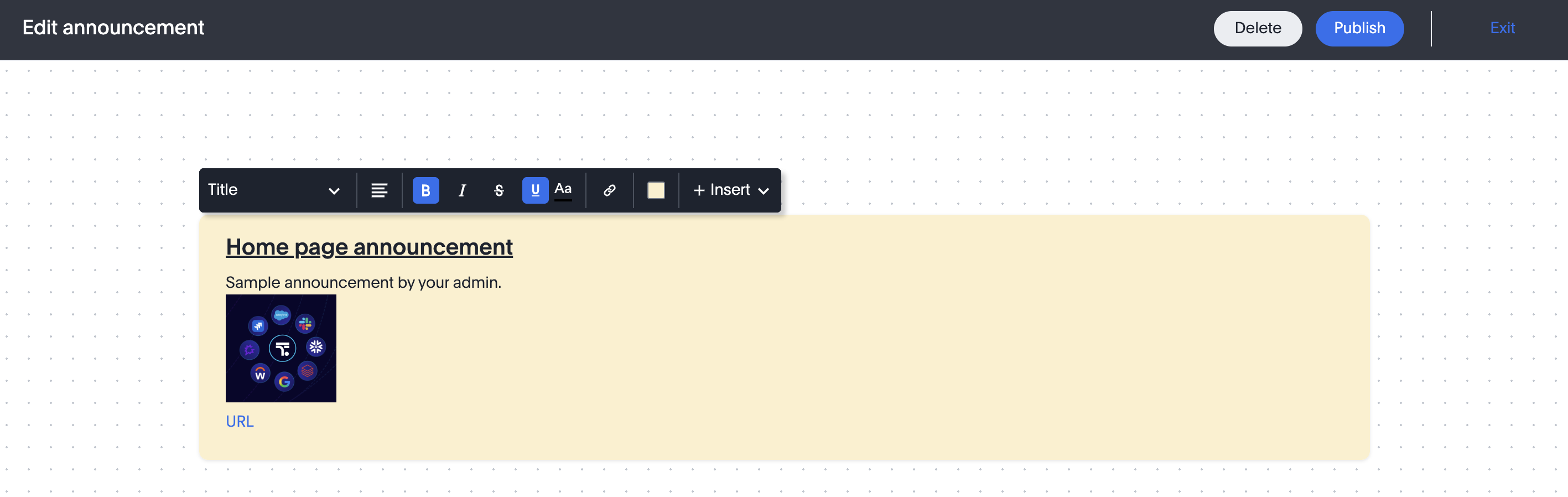
-
Click Publish. The banner will be published on your Homepage.
We highly recommend that you register for the free Customizing the ThoughtSpot UI course in ThoughtSpot University that covers the information in this article, and watch the Custom Alert Banners lesson.
See other training resources at ThoughtSpot University.

